
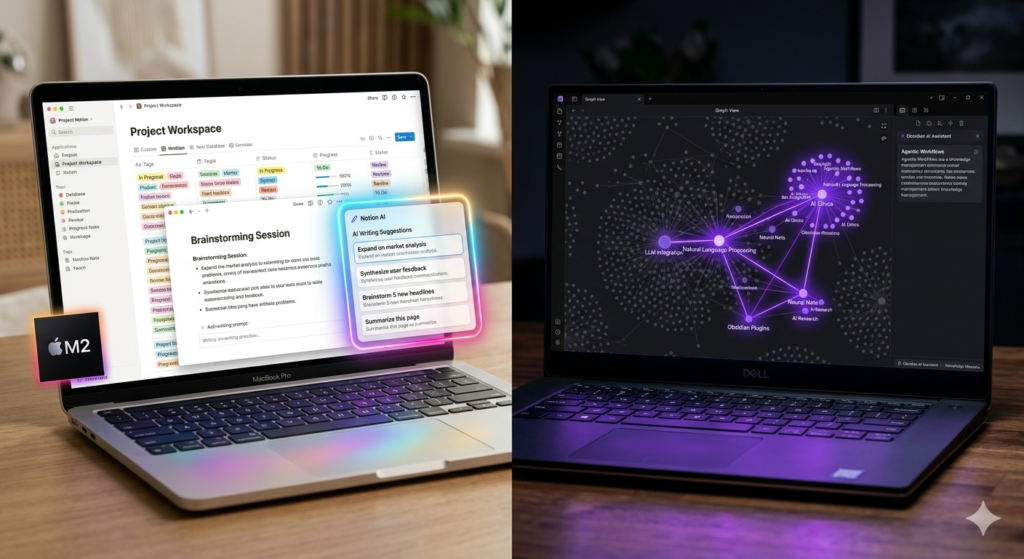
Notion AI gets smarter every month. Obsidian now has powerful AI plugins. We compare both for real productivity and find the surprising winner for 2025.
Notion AI vs Obsidian with AI Plugins: The Note-Taking Battle Nobody Expected to Be This Close
A year ago this comparison would have had a clear answer. Notion had native AI. Obsidian had a passionate plugin community but no official AI capabilities. The gap felt large.
In 2025 that gap has essentially closed — and in some ways reversed. The Obsidian AI plugin ecosystem has matured remarkably, and several community-built integrations now deliver capabilities that rival or exceed what Notion AI offers natively. This comparison is genuinely interesting now in a way it was not before.
What Notion AI Does in 2025
Notion AI has been steadily upgraded throughout 2024 and into 2025. The current feature set includes AI writing assistance inside any page, automatic meeting summaries from imported transcripts, Q and A search across your entire workspace (ask your notes a question and get a synthesized answer), database autofill that generates content based on other fields, and the Notion AI assistant that can draft, edit, translate, and summarize within context.
The Q and A feature is the standout. If you have a large Notion workspace with years of notes, documents, and meeting records, being able to ask “What did we decide about the pricing strategy in Q3?” and get a synthesized answer with source links is extraordinarily useful. This is the feature that turns a note-taking app into a searchable knowledge layer.
Notion AI costs an additional $10 per member per month on top of existing Notion subscriptions, which adds up for teams. For solo users on the Plus plan, the total becomes about $26/month for the full experience — meaningful but not unreasonable for the productivity return.
What Obsidian Plus AI Plugins Can Do
Obsidian does not have native AI — but its plugin ecosystem has produced tools that integrate directly with OpenAI, Anthropic, and local AI models. The most capable current combination uses the Smart Connections plugin (for semantic search and AI Q and A across your vault), the Copilot plugin (for in-editor AI writing assistance), and optional local model support through Ollama for users who prefer not to send their notes to external servers.
The result is a customizable AI layer that in some respects outperforms Notion AI. Obsidian’s Smart Connections plugin builds a local vector database of your notes and enables genuinely impressive semantic search — finding conceptually related notes even when they share no common keywords. The AI chat panel can reference your entire vault and answer questions with source citations from your own writing.
The critical advantage Obsidian maintains: your data stays on your device. Everything is plain text Markdown files. No subscription lock-in, no cloud dependency, no company policy changes that affect your data. For users who take data ownership seriously, this is not a minor consideration.
Head-to-Head Comparison
AI Writing Assistance
Notion AI is more polished and integrated. Obsidian Copilot plugin is capable but requires more setup. Notion wins for beginners; equal for power users.
AI Search Across Notes
Both are genuinely impressive. Notion AI Q and A is more reliable out of the box. Obsidian Smart Connections is more customizable and privacy-preserving.
Speed and Performance
Obsidian is dramatically faster — local files, instant load, instant search. Notion on large workspaces can feel sluggish, especially with AI features processing in the cloud.
Collaboration
Notion wins clearly. Real-time collaboration is native and polished. Obsidian has no equivalent.
Data Ownership
Obsidian wins clearly. Plain text Markdown you own forever vs Notion’s proprietary cloud format.
Setup Complexity
Notion is ready in minutes. Obsidian with AI plugins requires meaningful configuration time.
Who Should Use Which in 2025
- Solo knowledge workers and researchers: Obsidian plus AI plugins, especially if you value data privacy or have large personal vaults
- Teams needing real-time collaboration and shared databases: Notion AI, no contest
- Writers and students building a personal second brain: Obsidian with Smart Connections
- Product teams, project managers, startups: Notion for the structure, sharing, and database power
- Technical users comfortable with configuration: Obsidian unlocks things Notion simply cannot
Final Verdict
If Notion AI had local data options it would win outright. If Obsidian had native collaboration it would win outright. In 2025 neither has closed the other’s fundamental gap, which means the choice remains personal: collaboration and ease versus privacy and power.
The more interesting story is how close Obsidian’s AI capabilities now are to Notion’s — something that seemed unlikely eighteen months ago.