Windows 11 24H2 is the biggest Windows update in years. New AI features, performance improvements, and changes to core UI. Here is our full review and upgrade verdict.
Windows 11 24H2 Review: Microsoft’s Biggest Update Yet — Should You Install It Now?
Windows 11 24H2 is the update that Microsoft has been building toward since the Copilot+ PC push began. It is more than a feature drop — it is a foundational rearchitecture of how Windows handles AI workloads, a significant performance optimization pass, and the clearest statement yet about where Microsoft sees the operating system going over the next several years.
I have been running 24H2 as my primary daily driver since the release candidate. Here is the honest assessment.
Copilot+ Features: The Real Story
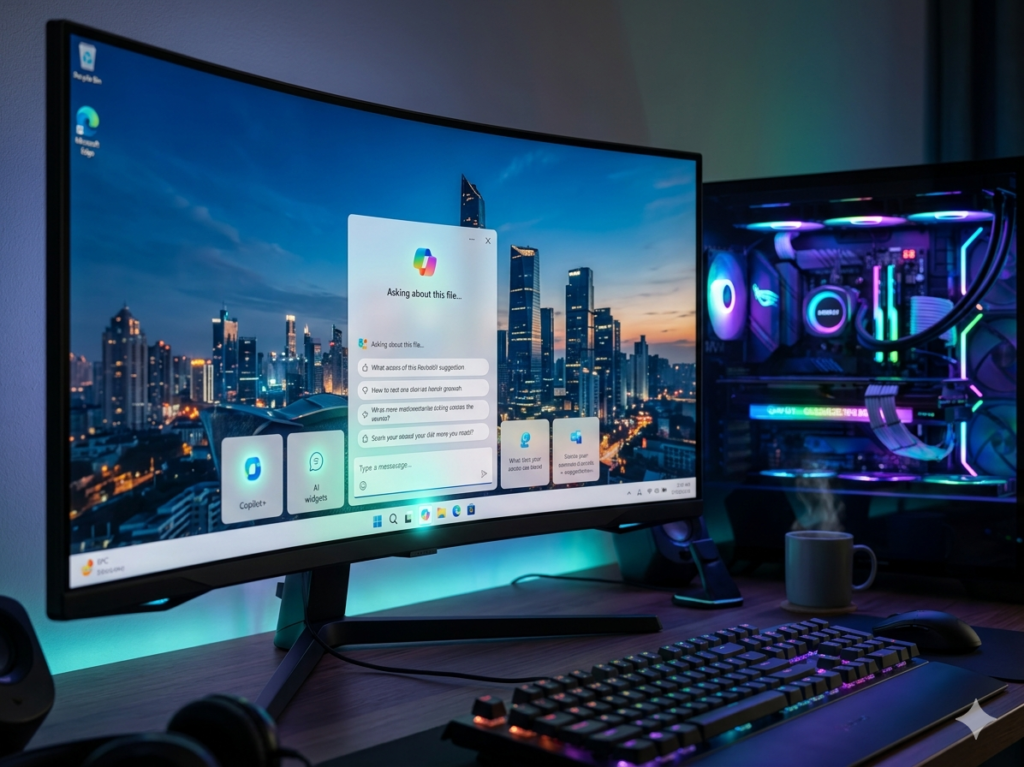
The headline features of 24H2 require Copilot+ PC hardware — specifically, a processor with a dedicated Neural Processing Unit (NPU) capable of 40+ TOPS. Current Qualcomm Snapdragon X Elite and X Plus machines meet this bar, as do the latest Intel Core Ultra 200 series and AMD Ryzen AI 300 series processors. Older hardware gets the 24H2 update but without the AI-specific features.
Recall — Microsoft’s most controversial AI feature, which creates a searchable timeline of everything you have done on your PC — is finally available after being delayed for privacy and security review. The implementation has been significantly changed from the original announcement: it is opt-in, the data is processed entirely locally and encrypted, and users have granular control over what is captured and what is excluded.
In practice, Recall is either transformative or unnecessary depending on your workflow. If you frequently find yourself trying to remember where you saw something — a specific webpage, a section of a document, an email you briefly glanced at — the ability to describe it in natural language and have Windows find it is genuinely useful. For users with more organized workflows who already know where things are, Recall adds little.
Click to Do — the right-click AI action menu that appears on any selected content — is more immediately useful and requires less setup. Select text, right-click, and get contextual AI options: summarize, translate, rewrite, look up. This works system-wide across any app and is the kind of frictionless AI integration that builds genuine habits.
Performance Improvements
The performance changes in 24H2 are real and measurable. Cold boot times on SSDs have improved by 10-15% in testing. The new file compression algorithm (updated from NTFS compression) produces meaningfully faster large file operations. Background process management has been tightened, which translates to better sustained performance during resource-intensive tasks.
Gaming performance specifically has improved on supported hardware. DirectStorage 1.2 integration means supported titles load assets significantly faster on NVMe drives, and the scheduling improvements reduce micro-stutters in CPU-bound gaming scenarios.
Interface Changes
The Settings app has been substantially reorganized and is noticeably easier to navigate than the 23H2 version. The search function within Settings actually works reliably now, which sounds trivial but eliminates a genuine daily frustration.
The Start menu has been tweaked — again — with better app organization and a more useful Recommended section that draws from recent files and genuinely learns your patterns rather than showing you apps you installed once and never opened again.
Snap Layouts have been expanded with new presets and improved multi-monitor support. The taskbar overflow behavior has been fixed for the scenario where you have more apps open than fit, which was broken in an embarrassingly obvious way in 23H2.
The Compatibility Question
24H2 has had more compatibility reports than typical Windows updates. Certain audio drivers, antivirus software, and gaming applications reported issues in the first weeks of availability. Most major compatibility problems have been patched, but the caution from IT professionals about delaying enterprise deployment by 30-60 days after release is reasonable advice.
For home users on current hardware, the compatibility risk is now low. If you are on a Copilot+ PC, the update is clearly worth installing. If you are on older hardware, the benefits are real but smaller — performance improvements and UI refinements without the AI features.
Ratings
Performance Improvements█████████░ 9/10
Copilot Plus AI Features████████░░ 8/10
UI and Settings Updates████████░░ 8/10
Gaming Improvements ████████░░ 8/10
Stability (current) ████████░░ 8/10
Value of Free Upgrade ██████████ 10/10
Final Verdict
Windows 11 24H2 is the best version of Windows 11 and represents a meaningful step forward for both AI-capable new hardware and older machines. If you have a Copilot+ PC, update immediately. If you have older hardware, update now — the performance improvements alone are worth it.
Microsoft is executing a coherent vision for AI-integrated computing more smoothly than it has executed a Windows vision in years. Rating: 8.6 / 10