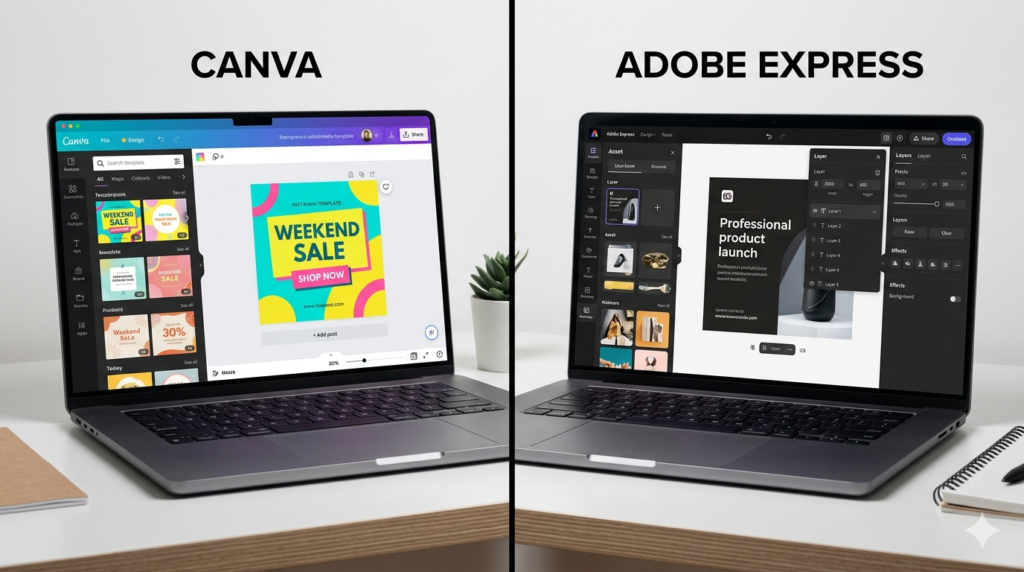
Canva vs Adobe Express compared honestly: templates, ease of use, AI tools, pricing, and which is better for social media, business, and personal projects.
Canva vs Adobe Express 2025: Which Free Design Tool Is Actually Better?
A few years ago, if you were not a professional graphic designer, your options for creating decent-looking visuals were limited and painful. Today, Canva and Adobe Express both offer genuinely capable design tools that require no design background, no expensive software subscription, and no tutorial-watching before you can produce something presentable.
So which one should you use? After spending real time with both tools across different types of projects, here is the actual comparison.
The Quick Summary Before We Go Deep
Canva is the better all-around tool for most people — easier, more versatile, and with a more generous free tier. Adobe Express is the better choice if you are already in the Adobe ecosystem, need tight brand consistency, or are creating content that will live alongside other Adobe products.
Now let us talk about why.
Ease of Use
Canva was built from day one for people who are not designers. The drag-and-drop interface is intuitive within minutes. Templates are categorized by platform and purpose — Instagram post, presentation, resume, business card, YouTube thumbnail — so you can find a starting point without thinking too hard.
The text editing is straightforward, the color picker is easy to use, and the element library is vast. I watched a non-technical friend use Canva for the first time and produce a professional-looking birthday party flyer in about fifteen minutes. That experience is what Canva has optimized for.
Adobe Express has improved significantly over the past two years and is genuinely accessible. But there is still a slightly steeper initial curve, and some features require more exploration to find. Users familiar with Adobe products — Photoshop, Illustrator, Premiere — will feel more at home here than complete beginners.
Template Quality and Quantity
Canva wins on sheer volume. Over 600,000 templates across almost every conceivable format. The quality is consistently high, the designs feel current, and there is genuine variety in style and industry.
Adobe Express has fewer templates but they tend to skew more professional and polished. If you want templates that look like they came from a design studio rather than a content creation platform, Adobe Express often has the edge in aesthetic quality.
For social media content at volume — daily Instagram posts, YouTube thumbnails, newsletter headers — Canva’s template library is the practical winner. For fewer but more premium-feeling pieces, Adobe Express competes strongly.
AI Design Features
Canva’s AI Tools
Canva’s Magic Studio suite includes Magic Write (AI text generation), Magic Media (text-to-image and text-to-video), Magic Eraser (remove backgrounds and objects), and Magic Design (generate full layouts from a text prompt).
Magic Write is useful for generating placeholder text, first-draft social captions, and idea starters. It is not going to replace your copywriter, but it is a genuinely helpful starting point. Magic Media produces decent results for supplementary images — backgrounds, abstract art, illustrations — but struggles with photorealistic people.
The background remover is excellent and works on most product and portrait photos without manual masking.
Adobe Express’s AI Tools
Adobe Express benefits from Firefly — Adobe’s generative AI engine trained on licensed and public domain content. This is a meaningful distinction: images generated with Firefly are commercially safe to use, which matters if you are creating content for a business.
The Generative Fill feature (borrowed from Photoshop) allows you to extend backgrounds, remove objects, and generate new elements within existing images with impressive accuracy. Adobe’s text effects — where AI wraps photorealistic textures around lettering — are genuinely impressive and unique.
Brand Kit and Consistency
For businesses and creators who need consistent branding across content, both tools offer brand kits — saved colors, fonts, and logos that apply across designs.
Adobe Express’s brand management is more sophisticated. Multiple brand profiles, stricter brand locking for teams, and tighter integration with Adobe Fonts (a library of thousands of professional typefaces) give it a real advantage for agencies and businesses managing multiple client brands.
Canva’s brand kit is simpler but sufficient for most individual creators and small businesses. The free version only allows one brand kit, which is a limitation for anyone managing more than one project identity.
Video Editing
Both tools have moved into short-form video territory, and this is an area where the gap between them has narrowed.
Canva’s video editor handles simple social video well — trimming, transitions, adding text overlays, background music from its library. For producing Instagram Reels, TikToks, and YouTube Shorts at volume, it is genuinely useful.
Adobe Express integrates better with Adobe’s broader video ecosystem and handles clip editing with slightly more precision. If you already use Premiere Pro, Express fills the gap for quick social content without opening the full application.
Pricing
- Canva Free: Very generous — most templates, basic AI tools, 5GB storage
- Canva Pro: $15/month — full template library, all AI tools, 1TB storage, brand kit
- Canva Teams: $10/user/month — collaboration, multiple brand kits, admin controls
- Adobe Express Free: Good starting point — limited templates, basic Firefly credits
- Adobe Express Premium: $9.99/month — full template library, unlimited Firefly, all AI tools
- Adobe Express included in: Creative Cloud All Apps subscription
For standalone pricing, Adobe Express Premium is slightly cheaper than Canva Pro. However, Canva’s free tier is more capable than Adobe Express’s free tier for everyday use.
Who Should Use Which
Choose Canva if:
- You want the easiest possible design experience
- You need a massive template library for social content
- You are a content creator, educator, small business owner, or freelancer
- You want a capable free tool without immediately committing to a subscription
- You work independently or in a small team
Choose Adobe Express if:
- You are already paying for Adobe Creative Cloud
- Commercial safety of AI-generated images matters to you
- You need advanced brand management for multiple clients
- You want tighter integration with Photoshop, Illustrator, or Premiere
- You prioritize Adobe Fonts and higher-end typography control
Final Verdict
For the majority of people — content creators, small business owners, teachers, marketers, and anyone who needs to make things look good quickly — Canva is the right starting point. It is easier, faster to get results from, and the free tier is genuinely powerful.
Adobe Express earns its place for professionals already in the Adobe ecosystem, agencies managing brand consistency, and anyone who needs the commercially-safe AI image generation that Firefly provides.
You do not have to commit forever. Both have free tiers. Try Canva first. If you find yourself needing what Adobe Express offers, you will know it.